Defilade Controls and Squad Orders: What Is Confirmed
The confirmed Defilade control scheme: number-key squads, Q/E camera rotation, shift-click, waypoints, formations, attack move, secure area and drag-to-face tanks.
Primary search intent
Defilade controls
On this page +
RBGames has confirmed a set of controls, but not a full keybind list. This page only lists what the developer has shown or stated. It does not invent bindings for orders, stances or building placement.
Defilade is trying to sell a contradiction: a game with more soldier detail than a classic RTS, but less need to micromanage it. The control layer is where that contradiction either works or falls apart.
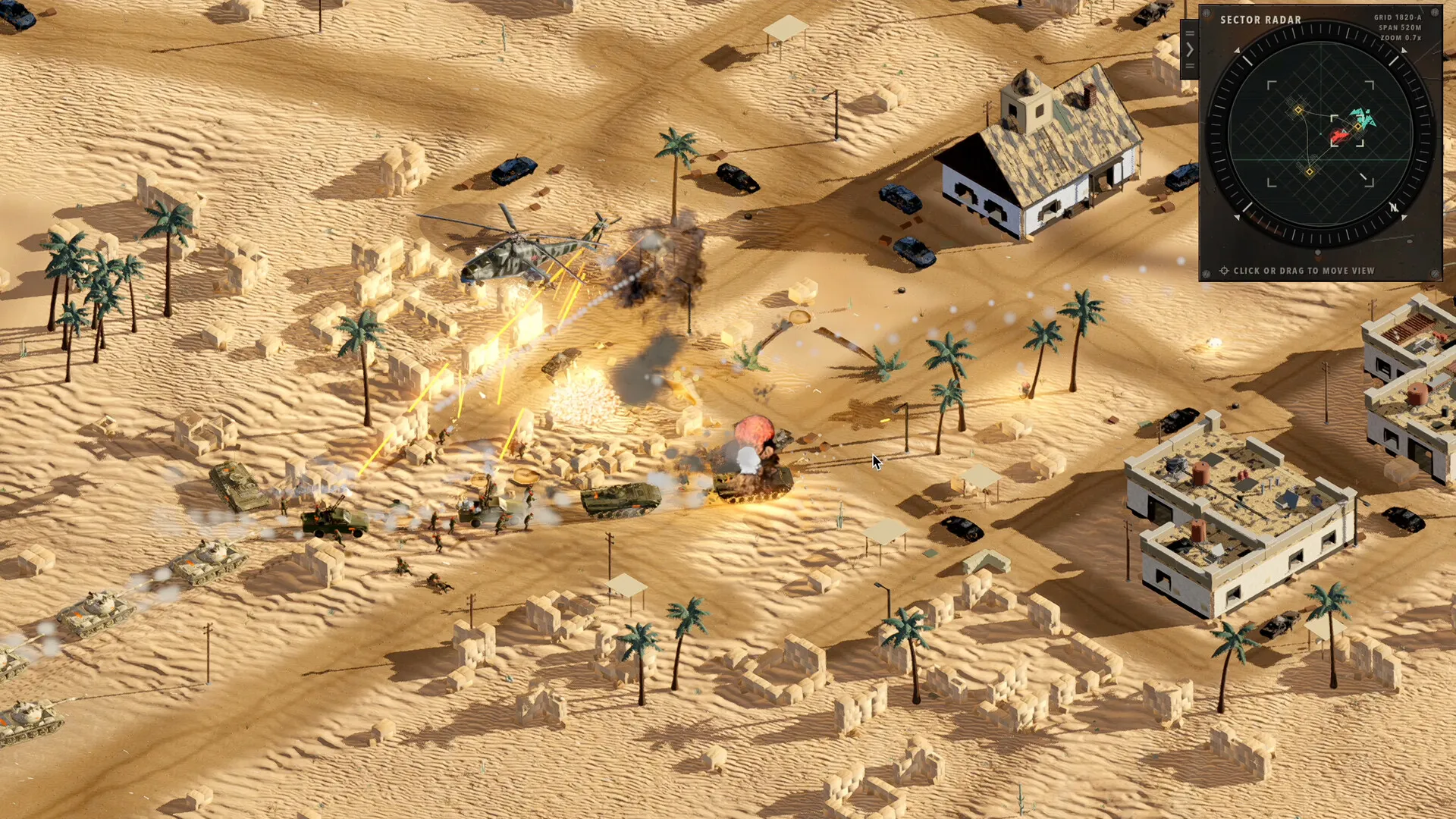
The confirmed controls are deliberately operational. You select a squad, give it a formation and a destination, and let it solve the route. Direct control exists as an intervention. It is not the default way to play every second.
Confirmed controls
| Input | Action | Source |
|---|---|---|
| Number keys | Select custom squads | 22 October update |
| Q / E | Rotate the camera | 22 October update |
| Shift-click | Add to the current selection | 22 October update |
| Drag | Set the direction a tank faces | 22 October update |
| Waypoints | Build a route for a unit or squad | 22 October update |
| Formation / AUTO | Choose a formation, or let the game pick for the ground | 22 October update |
| ATTACK MOVE | Move with intent to engage | 22 October update |
| SECURE AREA | Hold or clear an area | 22 October update |
| Direct control | Hands-on control of a unit | 7 November update |
The 7 November update also shows a zoomed-out command view in Frontlines with regimental icons. That is a mode-specific interface, not a confirmed global control.
The command cycle
A repeatable cycle for a squad-level game:
1. Read the ground
Rotate the camera. Find the cover, the exposed approach and the support-by-fire position. Decide which angle you want the squad to hold before you select it.
2. Select and form
Select the squad by number key. Choose a formation that fits the ground, or let AUTO choose. A wide formation is not automatically better; it depends on whether you want to cross a street or hold a trench.
3. Give intent
Use ATTACK MOVE when the squad must fight its way to the objective. Use waypoints when the route matters. Use SECURE AREA when the destination is a position to hold rather than a point to touch.
4. Let the squad solve it
This is the hard part. The squad is designed to bound, use cover and fight on the move. If you override every decision, you lose the benefit of the AI and add reaction delay.
5. Intervene on exceptions
Intervene when:
- the squad is about to cross an open kill zone;
- a tank is facing the wrong way;
- a casualty is being left behind;
- an FPV drone is overhead;
- the objective has changed.
6. Re-task, do not re-click
Once the squad is moving, change the destination or the posture, not the path of every man. The confirmed waypoint system is the right tool for a deliberate route.
Formations in practice
The update confirms formations and an AUTO option, but does not publish the formation list. We can describe the tactical logic without inventing names:
- Line: good for a firing line behind cover, bad for a narrow street.
- Column: good for movement through a choke point, bad for a firefight.
- Wedge / dispersed: good for crossing open ground, harder to control.
- AUTO: the game’s read of the ground. Useful when you do not have a strong reason to override it.
Test the actual options in the demo. The important question is whether the formation changes the squad’s spacing and firing arcs in a readable way.
Attack move versus secure area
The two confirmed orders imply different behaviour:
- ATTACK MOVE is a movement order with permission to engage. It should keep the squad moving toward the destination while fighting.
- SECURE AREA is a positional order. It should prioritise holding or clearing ground over continuing to move.
The exact behaviour is not documented. A useful test in the demo: give each order to the same squad in the same village and see whether the squad stops at cover, clears buildings, or pushes through.
Direct control: when to use it
The 7 November update includes direct unit control. That could mean anything from a temporary slow-motion command mode to possessed-unit control. The design intent is to let the player intervene in a specific moment, not to replace the RTS layer.
Use it for:
- a single vehicle that needs to reverse out of a bad angle;
- a squad that must cross a precise gap;
- a helicopter run that needs manual terrain masking;
- a demonstration or a cinematic moment.
Do not use it as the default because you do not trust the squad AI. If you do not trust the AI, the game has a bigger problem than your click speed.
Camera rotation is a tactical tool
Q and E rotate the camera. In an isometric game with destructible buildings, cover geometry and multi-floor combat, rotation changes what you can see and what you can infer.
Make it a habit:
- Rotate before placing a squad.
- Rotate after a building collapses.
- Rotate when a tank is hit from an unexpected angle.
- Rotate when you cannot understand why a unit is not firing.
The camera is not a view. It is a reconnaissance tool.
What we still do not know
- The full keybind list and whether it is rebindable.
- Whether control groups can be reassigned.
- How many squads can be bound.
- The exact behaviour of SECURE AREA.
- Whether direct control pauses the rest of the battle.
- Controller support.
The demo will fill in the gaps. If the controls feel like a classic RTS with a smarter auto-pilot, the design is working. If you spend the match fighting the camera and the formation system, the promised “less micro” pitch has a problem.
For the wider system, read the cover guide and the beginner guide.